


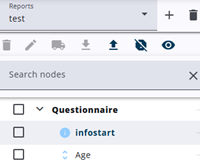
This article describes the available methods for managing nodes within a single report, including adding, copying, importing, deleting, moving, bulk moving, searching, and other related actions in the node tree.
Nodes can be created individually within the node tree, copied from existing nodes, or imported from other single reports. All methods are described here. Nodes can be edited simply by clicking on them.
Edit nodes
 | Add node Read more about creating a new node. |
 | Delete nodes Read more about deleting nodes. |
 | Edit nodes Read more about editing nodes. |
 | Move a node Read more about moving nodes in the tree. |
Manage nodes
 | Bulk move nodes Read more about moving many nodes around. |
 | Hide nodes Read more about hiding nodes in the report. |
 | Import/export nodes Read more about importing and exporting nodes. |
Find & view
 | Search nodes Read more about the node search. |
 | Show/hide nodes More about showing and hiding nodes in the tree. |
Reports
 | Manage reports Read more about adding, deleting and switching reports. |