



By default, nodes of the types Variable, QuotaVariable, and SampleValueVariable are not displayed in the tree view. These hidden nodes can be displayed and searched by enabling the Show all node types toggle (see the image).
These variables can be managed by clicking on them. Unlike the Survey Editor, the Single Reports Editor has no dedicated tab for managing them.
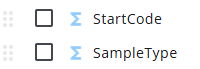
After the Show all node types toggle is enabled, the variables are displayed at the bottom of the node tree. They can be hidden again by disabling the toggle.