


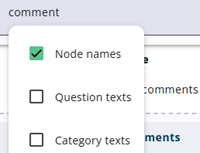
The search field above the node tree allows users to search for nodes, including their child nodes, and offers the ability to look for text within questions and categories. Translated texts, if available, are also included in the search.
A toggle with search options appears (see also the image to the left) when users press CtrlF or click inside the search field.
When a parent node appears in the search results, its child nodes are also displayed, even if they do not match the search criteria. Conversely, if a child node matches the search criteria, its parent node is also displayed.