


This article explains how translations for a single node can be added and updated.
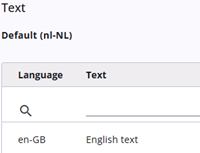
A table is displayed showing an entry for each defined language, along with the text in the default language. When the edit icon is clicked, a window with a rich text editor is opened, where the text can be added or edited.
It should be noted that the Translations tab is only displayed when multiple languages are available.
Translations for all nodes can also be managed in Excel; see how it works here.