


This article describes the columns in the table and the actions available for each project, such as editing the questionnaire, opening a project, and more.
Table columns
The table below provides an overview of the columns in the Projects table. The Code, Name, and other settings can be modified by selecting Edit Project from the menu. More information about changing these can be found here.
Some columns are hidden by default. The Configure view button above the table can be used to control which columns are displayed. Most columns have sorting and filtering options which make it easier to find the right project.

| Column | Description |
| Code | A code for a project that must be unique. The code remains in the system even after archiving a project. It is recommended to use a meaningful code, for example, an abbreviation of a research type or company, followed by a year or other parameters. |
| Name | The name of the project. Unlike the code, this does not have to be unique. This field is intended to be informative. |
| Description | Extra information about the project. |
| URL | If applicable, the alternate URL of the project used for emailing respondents. |
| #samples | The (gross) number of production samples, including opt-outs. |
| #started | The number of respondents who have used their start code to log in to the questionnaire (production samples only). |
| #completed | The number of respondents who have completed the questionnaire (production samples only). An information icon provides a tooltip detailing the completion method (e.g., internet, telephone). |
| Last published | The date of the last published version of the questionnaire. |
| Allow response changes | Indicates whether respondents are allowed to change answers after completing the questionnaire. Respondents are notified that any changes will take effect only if the survey is completed again. |
| Name group | Projects can belong to a group. If part of a group, the group’s name is shown here. More information about groups and parents can be found here. |
| Is group parent | Indicates if the project is the “parent” of a group project (shown with a check icon). |
| Status | Shows whether a questionnaire is open, closed, or archived. Open questionnaires can be filled by respondents. Closed questionnaires cannot, but can be reopened. Archived questionnaires can be removed from the database and exported for later import. Only open questionnaires are fillable. |
Project options
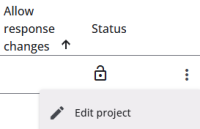
The options are listed and described in the table below, and have Read more links where applicable.
Some options, such as Open project, are only visible for closed projects
| Option | Description |
| Edit project | Opens the project settings (e.g., project code, name, etc.). Read more |
| Edit questionnaire | Opens the Survey Editor to modify the questionnaire. Read more |
| Edit single reports | Opens the Single Reports Editor to manage individual reports. Read more |
| Sample management | Opens the Sample Management section of the Survey Admin module. Read more |
| Fill in the questionnaire | Allows the user to complete the questionnaire in a new window. Read more |
| Close project | Prevents respondents from accessing the questionnaire. |
| Open project | Opens a closed project so respondents can access the questionnaire. |
| Allow response changes | Lets respondents revisit and modify a completed questionnaire. Changes are saved only after completion. |
| Disallow response changes | Prevents respondents from modifying a completed questionnaire. |
| Export project | Exports the project (including questionnaire versions and sample counts) as a JSON file for storage or reuse. |
| Archive project | Archives the project, including all versions, responses, and sample data, which can later be restored. Read more |
| Reactivate project | Makes an archived project active again. |
| Copy project | Creates a new project based on the selected one, with a new code, name, and description. |
| Delete project | Permanently deletes an archived project (available only to the user who archived it). Please note that a project cannot be deleted while it is still part of a report group in the Response Overview module. It must first be removed from the report group before it can be deleted. |