


A project has several properties that define how it behaves and how it is organized. Most of these properties can be configured when creating a new project. However, it is also possible to modify them later if needed.
To edit an existing project, locate it in the project table. Then click the three-dotted menu next to the project and select Edit project.
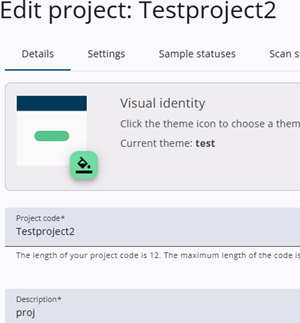
As a result, a window with several tabs is opened. The first tab contains the main project properties, where the core settings can be reviewed and updated.
The different fields available in this tab are described in the table below.
Properties
| Property | Description |
| Select theme | The theme defines the layout of the questionnaire and the editor. It controls elements such as background colours, fonts, font sizes, and other visual settings. |
| Project code | A unique code must be assigned to each project. The code remains in the system even after the project has been archived. It is recommended that a meaningful code be used, for example an abbreviation of a research type or company name, followed by a year or other identifiers. |
| Project name | The name of the project. Unlike the project code, this value does not need to be unique. The purpose of this field, similar to the description field, is to provide clear and informative identification. |
| Description | Additional information about the project can be provided in this field. |