


Automatic reminder e-mails can be scheduled for respondents who have not yet completed the questionnaire, with multiple reminders configured using different e-mail templates and mail counts.
All samples with valid e-mail addresses that have not completed the questionnaire are included, including those who have started but not finished. This status is checked upon sending, not creation.
Create/edit a reminder
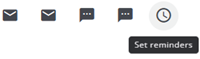
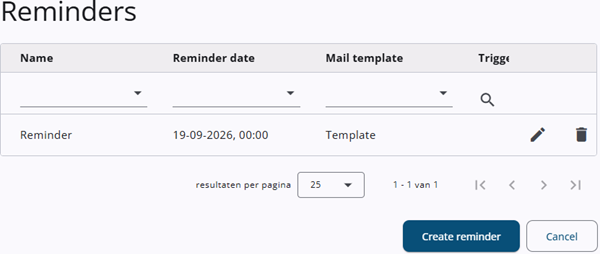
Reminders can be created by clicking the reminder icon (the icon to the right). A window opens showing a table of existing reminders (if any), along with a button to create a new reminder.
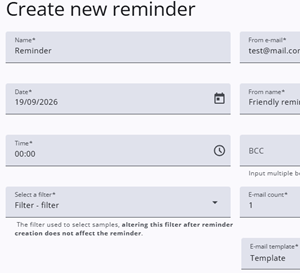
Clicking the edit icon or the Create reminder button opens a new window (see also the image above). After pressing Save, an email is sent for approval. Once approved, the reminder can be finalized.
Settings
The table below describes the different fields in the reminder window.
| Field | Description |
| Name | Specifies the name of the reminder. |
| From e-mail | Specifies the sender’s e-mail address. |
| Date | Specifies the date the reminder is sent. |
| From name | Specifies the name of the sender. |
| Time | Specifies the time the reminder is sent. |
| Filter | The sample filter determines which subset of respondents receives the reminder. |
| BCC | Specifies a blind carbon copy (BCC) recipient for the reminder e-mail. |
| E-mail reminder count | Specifies the sequence number of the reminder (e.g., 1st, 2nd). |
| E-mail template | Specifies the e-mail template to be used for the reminder. |