


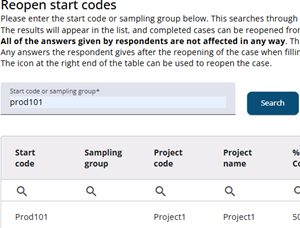
To reopen a previously completed start code, enter the start code or sampling group in the search field, locate the desired start code in the table. Then click the reopen icon to make the survey accessible again.
The start code/sample will then be reopened, allowing the respondent to complete the questionnaire again.
Existing answers remain unchanged; only the saved progress is updated so that the case appears reopened on the first page. Any new answers are stored permanently only when the user clicks the finish button on the final page.
Typically, a response is automatically marked as completed after a certain time if the respondent reaches the final page without clicking the finish button. However, this does not apply to reopened responses—these must be completed manually by clicking the final button.