


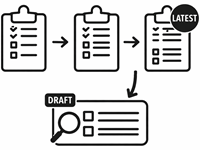
This article explains how questionnaire versions are managed and how they interact with samples.
It provides guidance on handling draft and published versions, testing changes, and ensuring respondents see the correct version.
Draft and published
Questionnaires can have multiple versions to accommodate major changes, such as adding questions or revising content. Only one draft version exists at a time; it represents the latest work-in-progress and is visible in the Survey Editor but never to (Test and Production) respondents. Draft versions can be reviewed using Draft samples.

A new published version can be created by clicking the Publish Questionnaire button. Once published, the questionnaire becomes available to respondents. Changes should always be tested in the draft version before publishing to avoid errors.
Minor issues, such as typos, can sometimes be corrected without creating a new version. The Versions menu provides access to all versions.
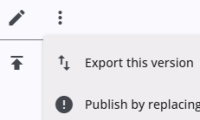
The draft can replace the latest published version using Publish by replacing in the options menu, updating the questionnaire while keeping the same version number. Use this only for minor corrections. Major changes to questions or answer categories may cause inconsistencies and should not be done this way.
Sample types and versions
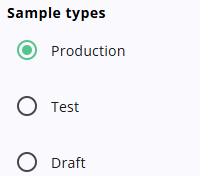
Respondents access questionnaires using start codes, which are linked to samples containing relevant data. Each respondent receives one sample.
Production samples are used for real respondents, while Test and Draft samples allow internal review. Test samples behave like production samples but can be excluded from SPSS exports. Draft start codes provide access to the draft version of the questionnaire and this is always the last version.
When a respondent opens a questionnaire with a fresh start code, the last published version is used. If the respondent returns later, they continue with the version that was active when they first started. Any new versions published in the meantime are not used unless the published version was overwritten using the draft replacement option.
SPSS exports reflect all questionnaire versions and show which options were available to respondents. Exports are always based on the latest published version, while test samples allow internal verification before publication. More information about SPSS exports can be found here.