


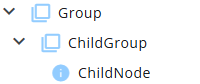
A Group primarily functions as a container of nodes.
It is used to organize nodes within the node tree, helping to maintain a structured and concise overview.
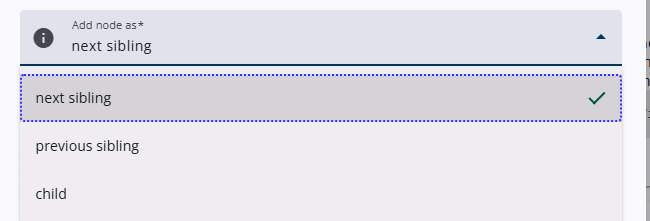
To add a child node to a Group, the child option must be selected from the Add node as dropdown menu in the Add node pop-up window. Alternatively, child nodes can also be dragged into a Group.
Settings
Several properties, such as Name and Text, are common to all node types. A detailed article describing these common settings can be found at the end. The remaining settings are described below.
| Setting | Description |
| Indent | The group node will be shown with an indent when this toggle is enabled. |
| Toggle children | Enables an expand/collapse option for child nodes. If Toggle children is already enabled at the Report node, this setting will be active by default. |
| Expanded | If Toggle children is enabled, this toggle expands the children by default. |
| Place children next to each other | Enabling this toggle places the child nodes next to each other. |
Other settings
Click the link below to explore these settings.
 | Common settings Learn more about the common settings of a node. |