


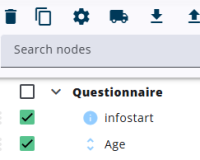
This option enables the required or warning feature to be added to the selected nodes, and/or the visible and enabled properties to be copied from one node to the others.
Select the nodes that need to be changed and click the gear icon above the tree to assign properties. A window with four sections will appear.
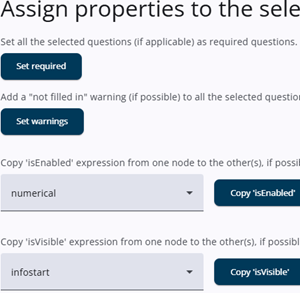
The Set required button marks all selected questions as required, and the Set warnings button adds a Not filled in warning—if applicable—to all selected nodes.
The third section lets the user copy the isEnabled property from one dropdown node to the other selected nodes. If none has a non-empty isEnabled property, a message indicates that no nodes can be used as a source.
The last section works the same way as the third, but applies to isVisible instead of isEnabled.
After pressing one of the two Copy buttons, a window appears showing how many nodes will be affected. A list of unaffected items is then provided.