


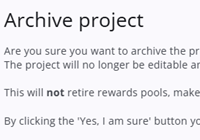
Archiving a project stores the last published version, the draft version, all completed responses, and all associated sample data. A file is automatically downloaded containing the questionnaire, its version history, samples, and responses, which can be securely stored and later used to restore the project.
Archived projects can be deleted directly only by the user who performed the archive, as they are assumed to have access to the downloaded file. Other users can delete an archived project only after reactivating it and archiving it again themselves.
A project can be linked to one or more report groups within the Response Overview module. If it is the only project in a report group, deleting the project will also remove the report group and its associated response overviews. If the report group contains multiple projects, the project must first be disconnected from the group before it can be deleted.