


Content pages can be used when additional information has to be provided, for example a privcy policy or a FAQ section. Content pages can then be linked to from other places.
Note that content pages are public. For example, they can be linked from the login page, and no start code is required to access them.

Create/edit a page
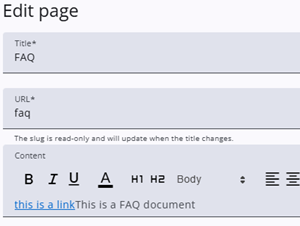
A content page can be created by clicking the Add page button, and existing pages can be edited by clicking the Edit icon in the table. In both cases, a dialog opens with the fields Title, URL, and Content.
Be careful when changing the title, as it also affects the URL and may result in broken links. The page content can be entered using the rich text editor and may include images.
Link to a content page
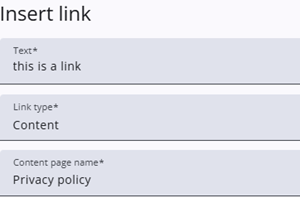
A link to a content page can be inserted by clicking the anchor icon and selecting Content as the link type.
Select the desired content page and click Confirm to create the link.