


The Templates/themes section of the Project portal contains several tabs, and these are described below.

Mail templates
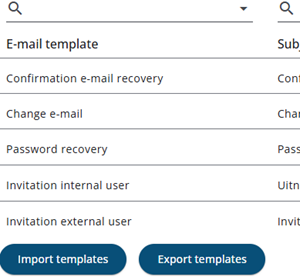
The Mail templates tab contains the content of the various e-mails that can be sent to system users. These mail templates are used for account-related e-mails such as invitation, password reset, and confirmation e-mails.
Content can be edited by clicking a row, which opens the MJML editor.
Templates can also be imported or exported, either individually or in bulk.
Note: These mail templates are intended only for system users and are not project-specific.
Themes
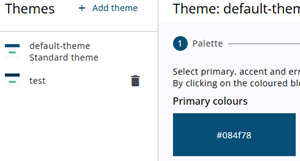
Themes can be adjusted in the Survey Editor by clicking the Theme icon in the top right corner, or via the Project portal under Templates/themes in the Themes tab.
Changes done via the Survey Editor apply only to the selected project, changes done via the Project portal apply to all projects.
New themes created here will also be visible other projects. but it should be noted that only Administrators can set the default theme.
The theme editor is explained in more detail here.
Settings
This section allows project settings to be imported and exported. These settings are available under the Edit project menu option in the project portal.
E-mail log
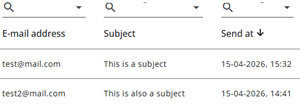
The E-mail log tab contains an overview of all sent e-mails and their current status. This information is for reference purposes only and cannot be modified.
Iframe settings
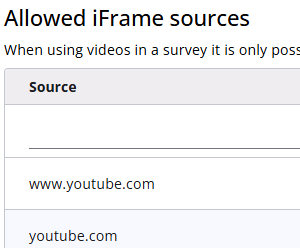
Videos can be inserted into the text using the Quill editor. This results in an iframe being embedded in the text. As iframes can potentially pose a security risk, only approved domains can be used.
Allowed domains can be added under the Iframe settings tab. Simply add the desired domain, after which it will be allowed for use in the editor.