


When a table constains lots of data it is usefull to know how to sort and filter the data. This article describes the different sorting and filtering options.

Filtering and searching
There are two ways to find certain records: filtering and searching.
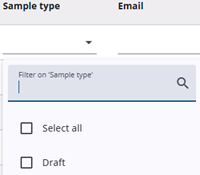
Columns that support filtering contain a field with a small triangle on the right. Clicking the triangle opens a dropdown with selectable values. A value can also be entered directly into the field, which works like a search.
Filtering is especially useful when there are only a few possible choices.
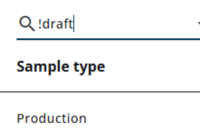
When filtering in a table, the values to be included can be selected, or specific values can be excluded by adding an exclamation mark in front of them. Multiple exclusion filters can also be applied by separating them with a pipe ( | ).
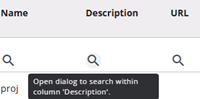
A magnifying glass icon indicates that search is available. Clicking the icon opens a small pop-up where the desired value can be entered.
Sorting
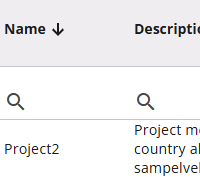
To sort results by a specific column, move the cursor over the column header until a small arrow appears. Click the arrow to sort by that column, and click again to reverse the sort order.