


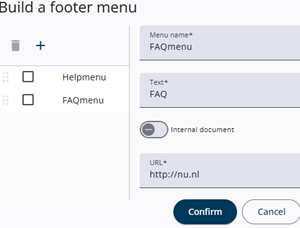
The Menu builder allows menu items to be added with links, for example to a privacy policy document or other articles. It is opened by clicking the Build Menu button.
See also the picture to the left. If no menu items have been defined, only the right-hand section is displayed. A menu name and display text (visible to the respondent) should be entered, along with either a link to an internal document or an external URL.
If menu items have already been defined, they are displayed in the left-hand section. From there, they can be reordered, deleted, or edited by selecting the relevant item.