


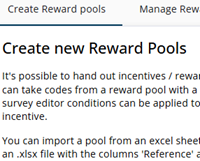
This article describes how reward pools can be created. A reward pool can be used to offer respondents an incentive, even when the chances of winning are relatively small, such as 1 in 100. The creation of a reward pool consists of several steps, which are described below.
Step 1: Name and ratio
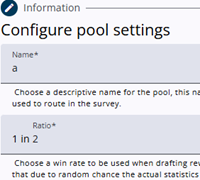
A reward pool requires both a name and a ratio. It is recommended to choose a clear and descriptive name, especially when multiple reward pools are used, as the name will also be referenced in expressions.
The ratio determines how many respondents receive a reward. A ratio of 1 in 1 means that every respondent will receive a reward.
Please note that the actual distribution may differ slightly from the configured ratio. Since the ratio is applied individually for each respondent, there may initially be slightly more or fewer rewards distributed than expected. Over time, however, the distribution will gradually even out and align more closely with the configured ratio.
Step 2: Upload a file
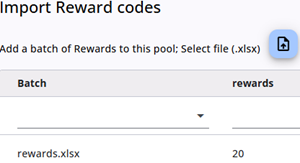
The file containing the reward information must include two columns: one for the reference number (Reference) and one for the PIN code (Pincode).
For example, gift cards typically consist of a reference code and a PIN code.
If only a single value is required, it should be entered in the Pincode column. After the file has been uploaded, the system will display the number of rows detected in the file.
Step 3: Confirm
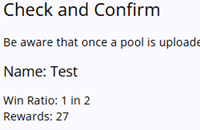
The final step displays the name, ratio, and number of rewards.
If everything is correct, the creation can be completed by clicking the Confirm button.