


This overview displays the generated email and SMS logs, along with the number of entries for each. Each time a group of respondents is approached—either by email or SMS—a new entry is added to the table.

The table below describes all the columns in the approach log.
| Column | Description |
| Created at | The creation date of the log entry. This does not necessarily correspond to the time the batch was sent, as invitations may be queued and/or sent in batches. |
| Name template | The name of the template used when inviting or reminding respondents. |
| Approach | The delivery method used, either email or SMS. |
| #transactions | The total number of SMS messages sent. Messages longer than 160 characters are split into multiple SMS messages. |
| #samples | The number of samples selected when approaching respondents. |
| #send | The number of emails or SMS messages sent. |
| #bounced | The number of bounced emails. |
| #no address | The number of samples without an email address (for emails) or telephone number (for SMSes). |
| #errors | The number of errors encountered. |
| #excluded domain | The number of messages not sent due to excluded domains (e.g. invalid or blocked domains). |
| #delivery error | The number of errors that occurred during the sending process. |
Email log details
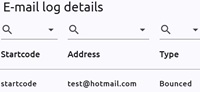
For email logs, selecting the three dots on the right side of a row opens a window with detailed information for each start code, including the email address and any bounce or error details.