


It is possible to define the starting point of a survey, allowing respondents to begin at a specific position in the survey.
This is especially helpful when multiple respondents must complete different sections of the same survey. This article explains how to use either page numbers or question names.
Page number
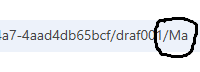
Respondents can be directed to a specific page in the questionnaire by appending the Base64-encoded page number to the end of the URL. For example, the number 2 is encoded as Mg==. By adding this (with or without ==) to the end of the URL (preceded by a slash), the respondent will start on the second page after logging in.
Question name
In addition to navigating to a specific page number, the questionnaire can also be opened at a specific node using a start code. To do this, append the Base64-encoded question name to the start code, separated by a slash (/).
For example, the question name Question1 is encoded as UXVlc3Rpb24x. With the start code draf002, the URL would end with /draf002/UXVlc3Rpb24x. After logging in, the questionnaire will open directly at the question named Question1.