


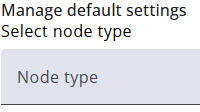
Default settings can be defined for each node type, such as width. To adjust these settings, select the desired node type from the dropdown and modify the values as needed. Nodes without specific settings will automatically inherit the values defined here.
The available settings depend on the node type; for example, a text box has different settings than a checkbox list.
Nodes with specific values already set will remain unaffected by changes to the default settings for that node type. Each node can also override the default settings individually.