


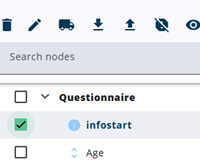
Using the edit icon at the top of the screen, above the node tree, multiple selected nodes – including their children – can be used to set the Show details in report property of the nodes.
However, the isVisible property can still hide the node, but it cannot make the node visible when Show details in report is disabled.
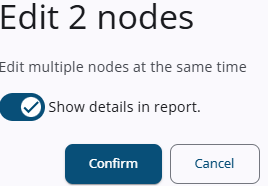
After the icon is pressed, a window is opened in which the Show details in report property can be set for all selected nodes. Pressing Confirm updates the nodes with the selected option.
Editing the nodes is made permanent only after the report has been saved.