


A consistency check on the questionnaire is performed when clicking this button.
The software performs a consistency check on the questionnaire. During this process, several validations are carried out, such as verifying that sample fields used in the questionnaire are defined in the sample definitions, checking that all node IDs are unique, ensuring that closed questions contain categories, checking for gaps in sequences, and confirming that all placeholders are valid.
After the check has been completed, a window appears displaying the results.
No issues have been detected
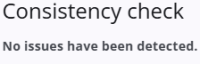
If no issues are found, a message will appear indicating that everything is OK. It is still recommended to perform this check regularly, especially after new variables have been defined.
Issues have been detected
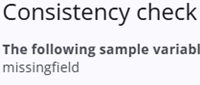
If a variable references a sample field that does not exist—for example, the field missingfield in the expression s[‘missingfield’]—this will appear in the output of the consistency check.
Such issues may lead to unexpected behaviour and should be reviewed. Any other problems detected in the questionnaire will be reported in a similar way.