


This article explains how nodes can be made invisible or disabled through the use of expressions, and how these settings can be overridden if necessary.
It should be noted that nodes can also be rendered invisible by Goto statements, which achieve this simply by skipping the relevant nodes.
Settings
The table below lists all available options with brief descriptions. Expressions are used to control visibility and whether a question is enabled or disabled. More information about expressions can be found here.
| Setting | Description |
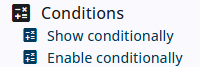
| Show conditionnally | The result of the expression determines whether the question is visible or hidden. Click the calculator icon next to Show conditionally to open the expression editor. |
| Enable conditionally | The result of the expression determines whether the question is visible or hidden. Click the calculator icon next to Enable conditionally to open the expression editor. |
| Force visibility when the question is skipped due to conditions | In some cases, the node must always be displayed, regardless of routing or conditions. Check the Force visibility to ensure the node is always shown. |